EduTrak eStore

Run Your School Store
Without Running
Another System

EduTrak is a K-12 payments platform. eStore is the part that handles your school store, fundraisers, and in-person sales, all inside the same portal families already use for lunch and fees. No extra login. No separate vendor.

One Login for Families

Parents already have an EduTrak account for lunch and fees. The school store is right inside it. Nothing new to install or create an account for.

One Checkout for Everything

Spirit wear, a fundraiser item, and a lunch deposit can share a cart. One payment clears it all. Your business office gets one clean deposit to post.

One Place for Staff to Manage

The catalog, inventory, reports, and silent auctions all live in the EduTrak admin. No separate platform to log into, no manual export to reconcile.

Features

Everything a School Store Should Do

From the catalog to the concession stand, eStore handles it inside the platform families already know.

01
A Branded Store Families Actually Recognize

The store carries your school's name and logo, not a generic EduTrak page. Families see a storefront that looks like it belongs to their school, organized into categories they can browse: Enrollment, Fundraising, Spirit Wear, Supplies, Events, Food & Snacks, Accessories, and Gift Cards. No new account to create. No separate app to find.
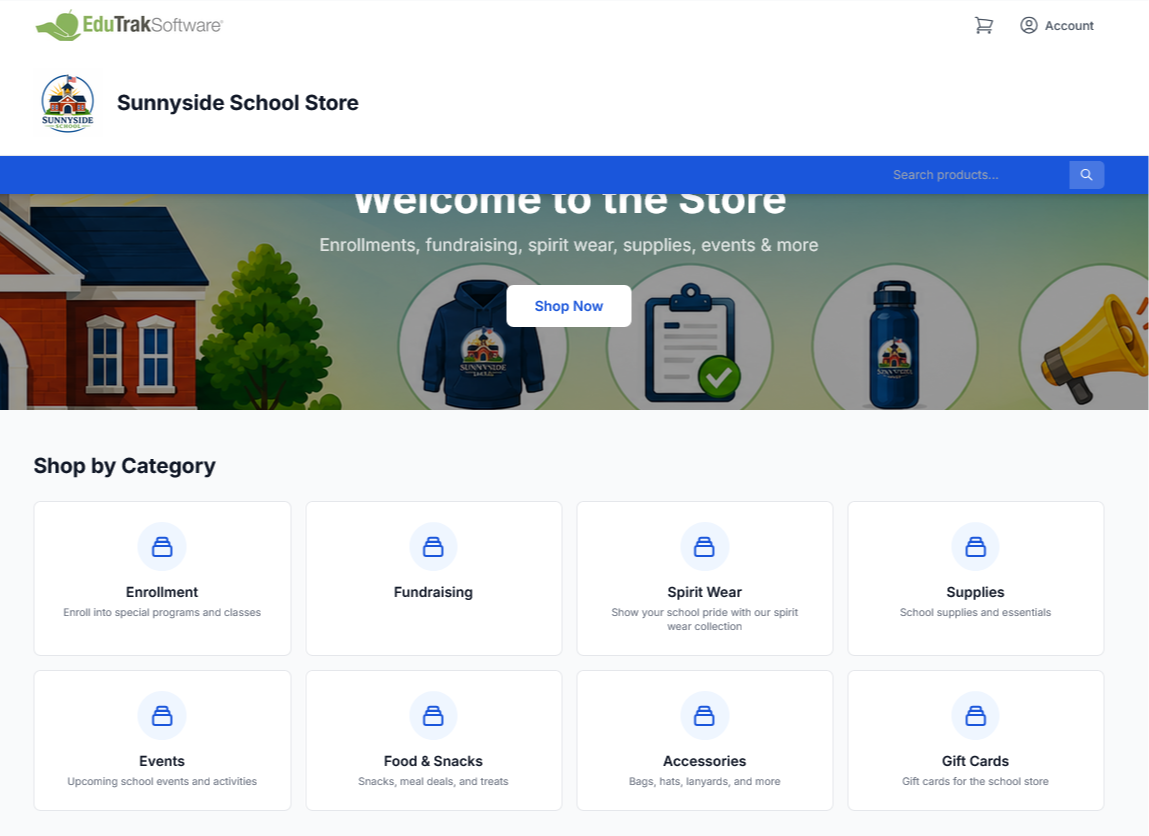
School-branded 8 built-in categories No separate login
eStore branded school storefront with category tiles
View screenshot
02
Catalog Management and Featured Products

Staff builds the catalog in the admin: add a photo, description, price, and available dates. Set a stock limit and the item closes automatically when it sells out. Products with size or color options show a variant selector at checkout. The store homepage can surface specific items as Featured Products so the best sellers are front and center when families arrive.
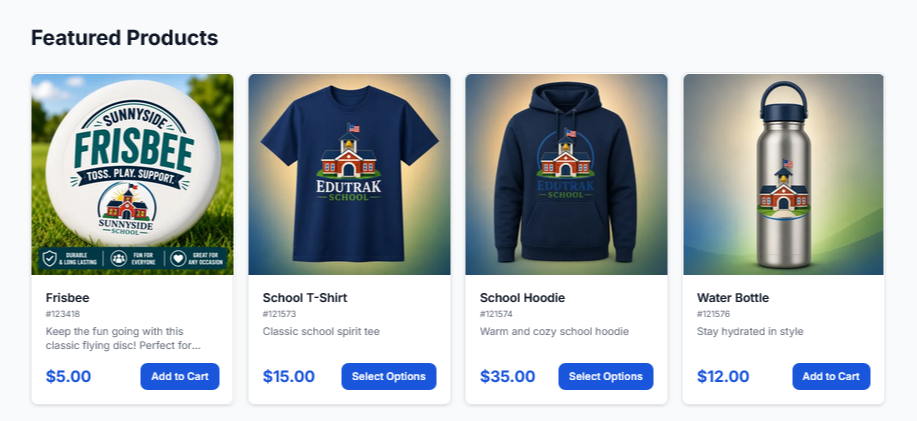
Variants (size, color) Featured products Auto stock close
eStore featured products grid showing spirit wear items
View screenshot
03
Clean Product Pages Families Can Actually Use

Every item gets its own page: photo, description, item number, category tags, and a quantity selector. Parents see exactly what they're buying. Products can appear in more than one category at the same time, so a frisbee shows up under both Spirit Wear and Accessories without duplicating the listing.

Rich product detail Multi-category tagging Item numbers for tracking
eStore product detail page for a Frisbee item
View screenshot
04
One Cart for Every Charge

A parent can add a spirit wear item, top off their child's lunch account, and pay a student fee in a single checkout. Everything that family owes the district is cleared in one transaction. They get one receipt. Your business office gets one deposit to post.

Shared cart One payment Card, ACH, Apple Pay, Google Pay
05
In-Person and Mobile Checkout

Staff can ring up sales at a school store counter, an event table, or a concession stand using the EduTrak POS. Accepts card-present payments via the PAX A35, cash, and charges to family accounts. Continues working if the internet goes out and syncs automatically when it comes back.

PAX A35 card reader Offline mode Mobile POS
06
Sales Reporting

Pull store sales by item, category, or department. Online and in-person transactions appear together in the same report. See how many units sold per product, filter by category, and export for your business office. Revenue posts to the correct account code without manual sorting.
Units sold per item Filter by category Export ready
Silent Auctions

Fundraisers Without the Extra Work

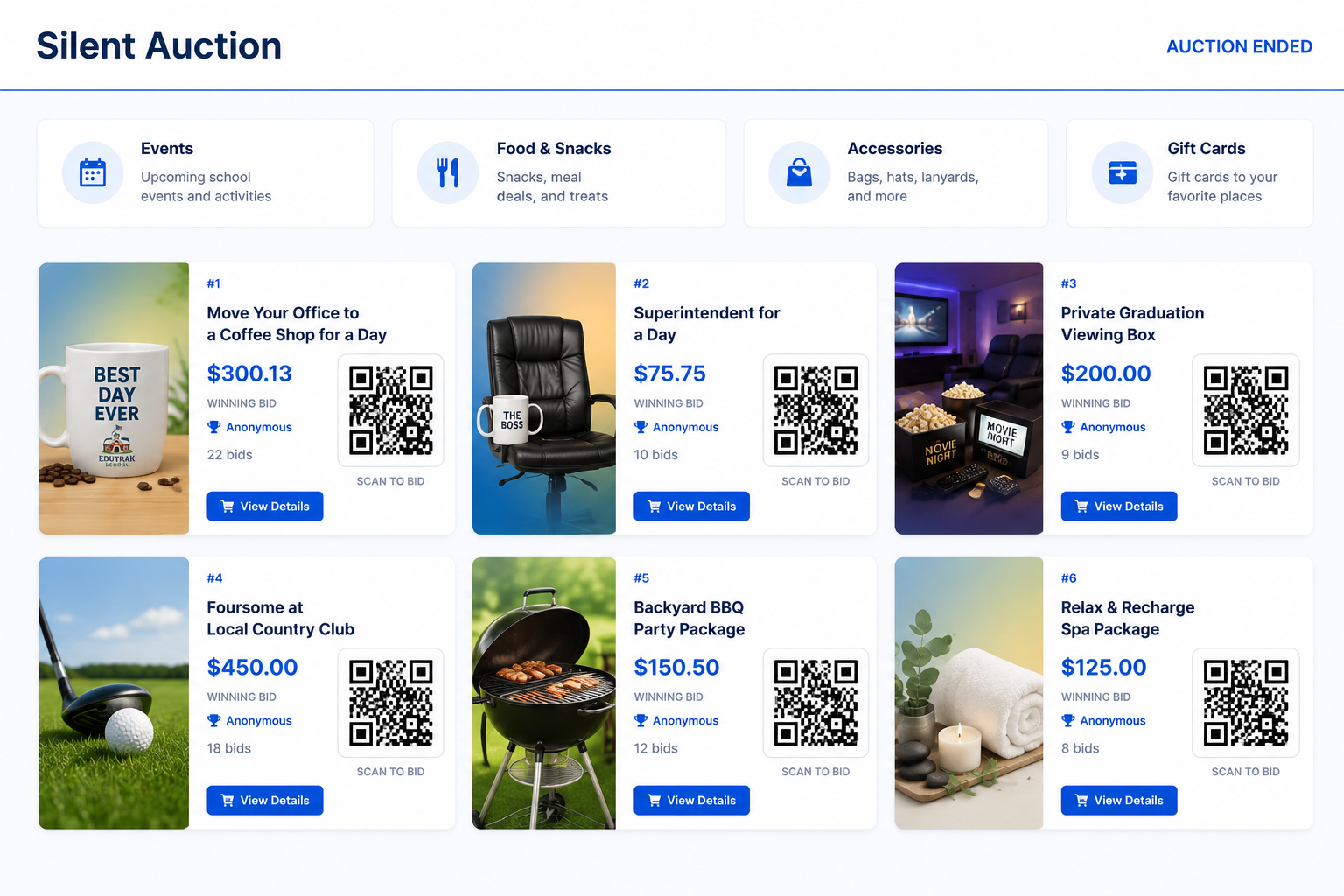
Most schools run silent auctions on paper bid sheets, a separate app, or a platform that requires families to create another account. eStore handles the whole thing, from setup to winner payment, inside the platform you already have.

See How It Works
Silent auction live bidding interface
View screenshot
1
Create the auctionName it, set start and end times, write a description, and set a minimum bid increment. Takes a few minutes in the admin.
2
Add items and print QR sheetsUpload a photo, set a starting bid, and print QR bid sheets. Place them next to items at your event.
3
Bidders use their phonesNo app to download. They scan the QR code and submit a bid from their browser. A live TV display keeps everyone in the room updated in real time.
4
Winners pay automaticallyWhen the auction closes, payment links go to winning bidders. No chasing anyone down. Revenue posts to the same place as everything else.
How It Works

From Store Setup to Reconciled Revenue

The full path, from adding products in the admin to the business office having accurate numbers.

1
Staff Builds the Catalog

Add items, set prices and available dates, upload photos, and limit items by school or grade level. The store goes live when you're ready.

2
Families Shop and Add to Cart

Parents browse from the same portal they use for everything else. Store items go into the shared cart alongside any other charges they owe.

3
One Checkout Clears Everything

A single payment settles the full cart. Families get one receipt. The district gets one deposit to post. Inventory updates automatically.

4
Revenue Posts, Reports Run

Every transaction routes to the correct account code. Pull a sales report by item or category and export it for your records without manual cleanup.

Next Step

See If It Fits Your District

Our team walks you through how eStore would work for your school or district. Twenty minutes, no pitch, just answers to your questions.

Schedule a Quick Call

Prefer the phone? 800-955-2649